

AI for Support at Home Providers — Ready for the New Funding Model
The Support at Home (SaH) program is here — and Australian home care providers need to move fast. ExpertEase AI helps Support at Home providers manage the HCP transition, automate participant intake under the new funding model, handle inbound enquiries, and update Sandwai in real time. No code. Deployed in 60 seconds.
- 100% Australian Data Residency
- Deploy in 60 Seconds
- 24/7 Voice Coverage
- Sandwai & HCP-Ready
What Is AI for Support at Home Providers?
The Support at Home program replaces the Home Care Package (HCP) system and introduces significant changes to how providers manage client budgets, service delivery, and compliance. For many providers, the transition means updating intake processes, retraining staff, and managing a wave of client enquiries about what the changes mean for their care.
AI for Support at Home providers handles the enquiry load automatically. When clients and families call or message to ask about the SaH transition — what changes, what stays the same, how their services are affected — ExpertEase AI answers using your specific service information, updates Sandwai in real time, and routes complex cases to coordinators.
At the same time, new client intake under SaH is fully automated — capturing the right information under the new funding model and creating compliant Sandwai records from the first contact.
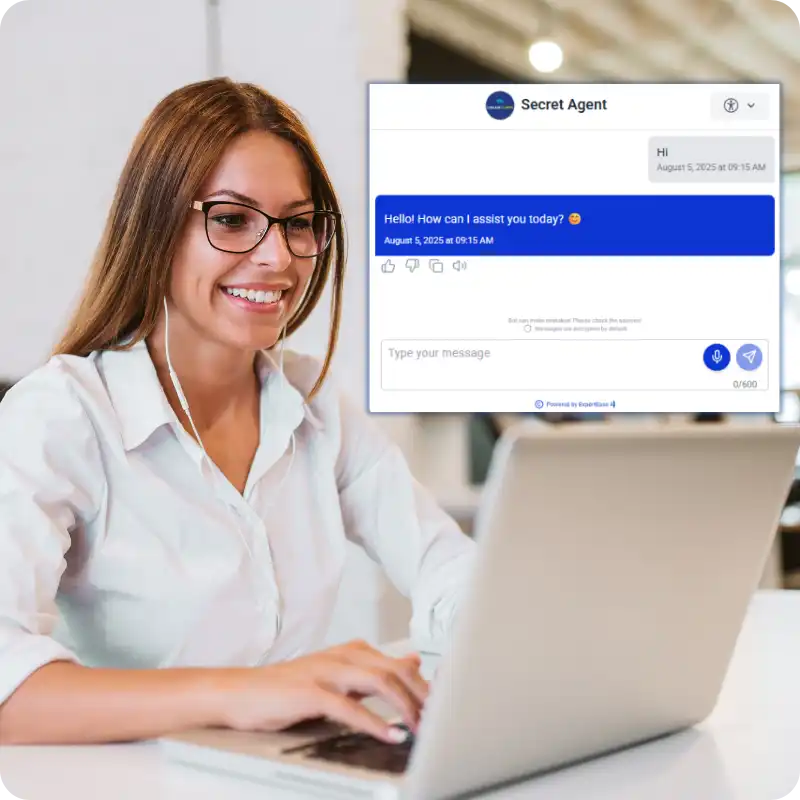
Support at Home AI That Actually Works
HCP Transition Enquiry Handling
Existing HCP clients have questions about what Support at Home means for their care. ExpertEase AI handles these enquiries automatically — explaining the transition, answering questions about service continuity, and routing complex cases to coordinators — 24 hours a day across phone, WhatsApp, and web chat.
New SaH Intake Automation
New clients enquiring under the Support at Home model are guided through intake by ExpertEase AI — capturing the right details for the new funding structure, verifying eligibility, and creating the Sandwai record automatically. No manual data entry. No coordinator required for routine intake.
Sandwai Support at Home Integration
Sandwai Support at Home workflows are triggered automatically by ExpertEase AI. New SaH registrations, budget update notifications, service change requests, and transition milestones all update Sandwai in real time — keeping your records current during the busiest transition period in Australian aged care history.
What Your Support at Home AI Can Handle
- HCP transition enquiries — explain SaH changes to existing clients and families via phone, chat, or WhatsApp
- New SaH client intake — capture all required details under the new funding model automatically
- Eligibility and budget queries — answer client questions about their SaH budget, services, and entitlements
- Service continuity reassurance — handle worried clients asking if their care arrangements change
- Assessment booking — schedule Support at Home assessments via voice or chat with Sandwai calendar sync
- Coordinator escalation — complex transition cases flagged with full conversation context
- Automated confirmations — SMS and email follow-ups after every intake or enquiry interaction
- All interactions logged to Sandwai in real time
Getting started on your phone line is simple. You have three options:
- Get a new Australian number through ExpertEase AI — all states and mobile numbers available
- Transfer your existing business number — keep the number your clients already know
- Activate call forwarding from your current number to your ExpertEase AI line — live in minutes, zero downtime
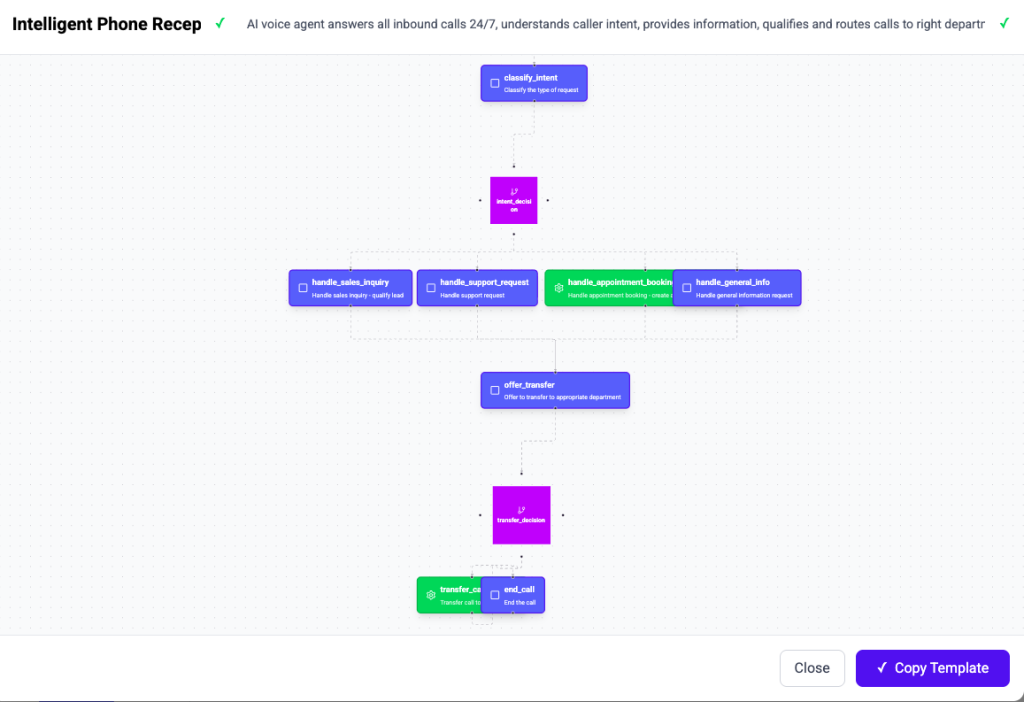
How ExpertEase AI Works for Support at Home Providers
Step 1 — Describe Your Agent
Using Speak-to-Deploy, describe your SaH AI agent: “Handle HCP transition enquiries, intake new SaH clients, answer budget questions, update Sandwai.” Done in plain English.
Step 2 — Connect Sandwai
We connect to Sandwai and your calendar. The AI reads and writes to your SaH client records in real time during every conversation.
Step 3 — Train on Your SaH Knowledge
Upload your Support at Home service information, transition FAQs, staff directory, and pricing. Your AI knows your specific SaH offering — not a generic government guide.
Step 4 — Go Live
Activate across your phone line, website chat, WhatsApp, and SMS simultaneously. Handle the transition enquiry surge without adding to your team.
Support at Home Scenarios ExpertEase AI Handles
HCP Client Transition Calls
Existing HCP clients calling about the Support at Home transition receive immediate, accurate information — tailored to your services and their specific care situation.
New SaH Registrations
New clients registering under the Support at Home program are guided through full intake and onboarded to Sandwai automatically
Budget & Entitlement Queries
Clients asking about their Support at Home budget, funded service hours, and entitlements receive answers from their actual Sandwai record.
Assessment Booking
Clients who need a Support at Home assessment book via voice or chat — AI confirms availability and logs to Sandwai instantly.
After-Hours Transition Support
Worried clients and families calling outside business hours about the transition receive immediate, reassuring responses — coordinators alerted only for complex cases.
CHSP to SaH Pathway
Clients transitioning from CHSP to Support at Home are guided through the pathway — eligibility explained, next steps clarified, assessment booked.
Australian-Hosted AI — Built for Support at Home Compliance
Support at Home client data is processed and stored exclusively on Microsoft Azure Australia East. We are IRAP-aligned, Privacy Act 1988 compliant, and meet Aged Care Quality and Safety Commission data governance requirements — critical for providers navigating the new SaH regulatory framework.
Why Support at Home Providers Choose ExpertEase AI
Transition Ready Now
ExpertEase AI can be trained on your SaH transition information and live on your phone line in 60 seconds — ready to handle the enquiry surge from day one.
Sandwai SaH Integration
Live bidirectional Sandwai integration means every SaH interaction updates your records in real time — no manual data entry during the busiest transition in Australian aged care.
Speak-to-Deploy
Describe your SaH AI agent in plain English. No developers, no IT project — deployed in 60 seconds.
Every Channel Covered
Phone, WhatsApp, web chat, and SMS — the same AI agent handles SaH enquiries across every channel your clients use to reach you.
AI for Support at Home Providers — Your Questions Answered
Can the AI explain the Support at Home transition to existing HCP clients?
Yes. You train ExpertEase AI on your specific SaH transition information — what changes for your clients, what stays the same, what their new budget looks like, and what they need to do next. The AI explains it clearly and consistently across every enquiry, every channel, every hour.
Can it handle new SaH client intake under the new funding model?
Yes. ExpertEase AI guides new clients through full intake under the Support at Home funding structure — capturing the right details, verifying eligibility, and creating the Sandwai record automatically. Coordinators receive a complete intake record, not a raw enquiry.
How does it connect to Sandwai for Support at Home records?
Sandwai Support at Home integration is live and bidirectional. The AI reads client records, updates SaH intake data, books assessments, and triggers workflows inside Sandwai during every conversation — in real time.
How quickly can we go live before the SaH transition deadline?
Most providers are live within 60 seconds of completing setup using Speak-to-Deploy. Describe your agent, connect Sandwai, upload your SaH information — activate. No IT project, no implementation lag.
Do we need a new phone number?
No. You can get a new Australian number through ExpertEase AI, transfer your existing number, or activate call forwarding from your current line — clients keep calling the same number they already have.
Ready for Support at Home — Before the Transition Enquiries Arrive?
ExpertEase AI for Support at Home providers is live in 60 seconds. Handle the transition enquiry surge, automate new SaH intake, and keep Sandwai current — without adding to your team.