

How to Deploy AI for NDIS Providers — A Step-by-Step Guide for Australian Operators
A practical, plain-English guide to deploying AI for NDIS service providers — covering what to look for, how to connect it to Sandwai, how to meet NDIA compliance requirements, and how to go live in 60 seconds using ExpertEase AI’s Speak-to-Deploy technology.
- 100% Australian Data Residency
- Deploy in 60 Seconds
- 24/7 Voice Coverage
- Sandwai & HCP-Ready
What This Guide Covers
Deploying AI for an NDIS registered provider involves more than choosing a chatbot. You need to consider participant data compliance, Sandwai integration, NDIA alignment, staff adoption, and operational fit. This guide walks through each consideration and shows how ExpertEase AI addresses all of them — so you can deploy with confidence and go live fast.
The five steps are: (1) Define your use case, (2) Check compliance requirements, (3) Choose the right platform, (4) Connect your systems, and (5) Deploy and train your agent.
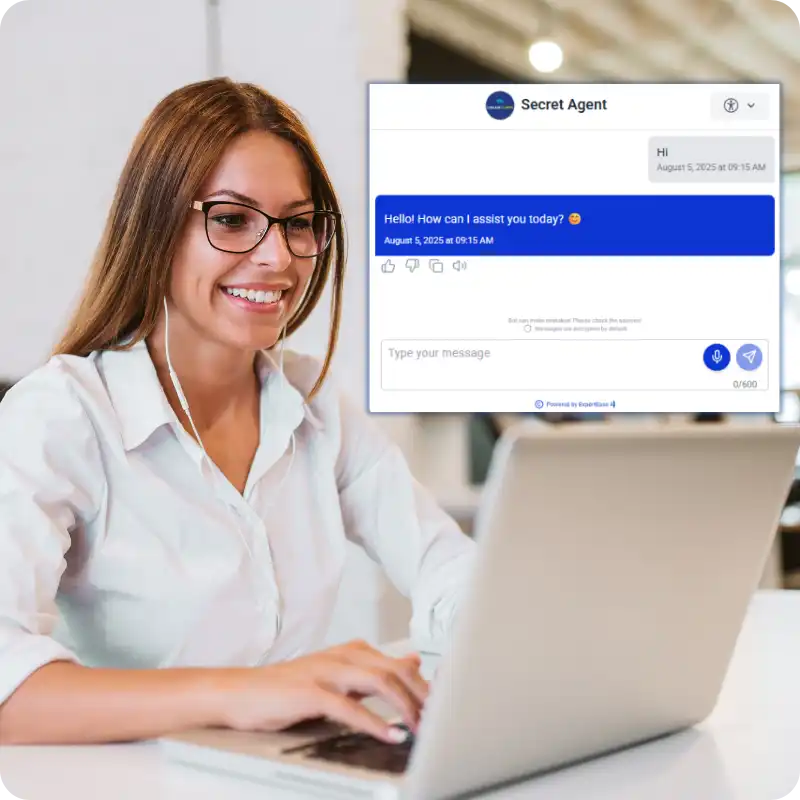
What Your Home Care AI Receptionist Can Handle
- HCP client enquiries: package levels, funded hours, service entitlements, budget balances
- Appointment bookings, rescheduling, and cancellations synced live to Sandwai
- Support worker inbound calls: shift confirmations, roster queries, schedule change requests
- Client onboarding: capturing new client details, preferred support workers, care goals
- CHSP and Support at Home transition enquiries and eligibility pre-screening
- After-hours urgent calls: welfare checks, medication questions, escalation routing
- Automated SMS confirmations, appointment reminders, and care plan review alerts
- Multilingual support for CALD clients and workers
Connecting your phone line is simple. You have three options:
- Get a new Australian number through ExpertEase AI — all states and mobile numbers available
- Transfer your existing business number — participants keep calling the same number they already know
- Activate call forwarding from your current number to your ExpertEase AI line — live in minutes, zero downtime
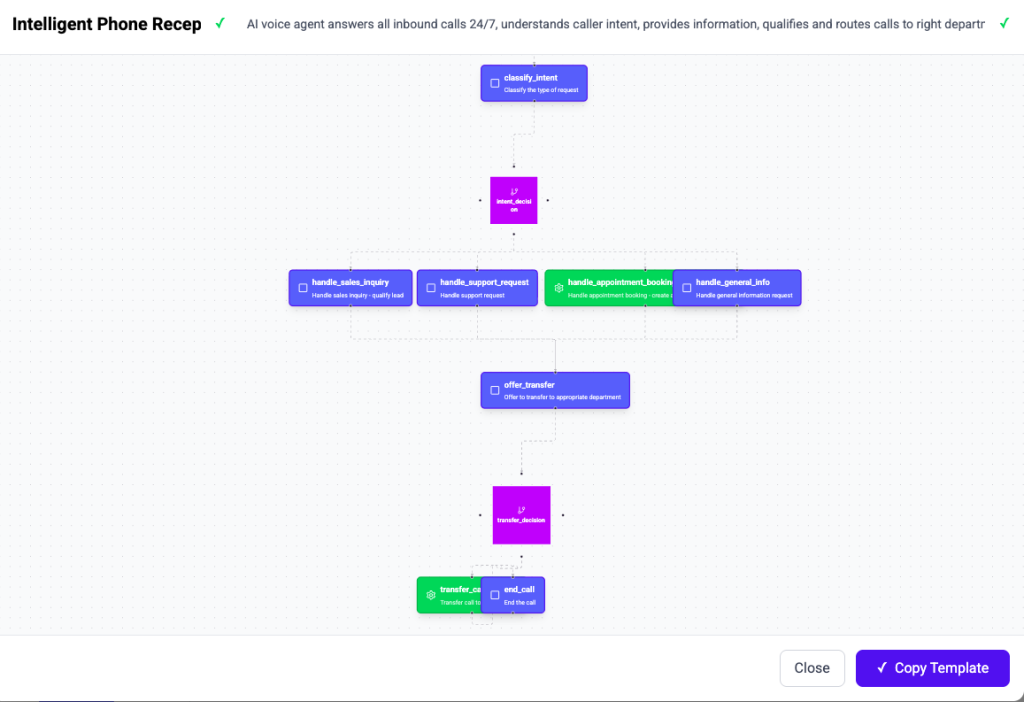
How to Deploy AI for NDIS Providers — Step by Step
Step 1 — Define Your NDIS Use Case
Start by identifying the highest-volume, most repetitive tasks your team handles — participant intake calls, support worker rostering queries, plan management enquiries, or after-hours coverage. These are the best starting points for AI deployment. The more predictable and repeatable the task, the faster AI delivers ROI.
Common NDIS AI use cases: participant intake via voice and chat, support worker shift management via WhatsApp and phone, plan management queries, after-hours participant coverage, LAC and GP referral intake, and NDIS claims workflow automation.
Step 2 — Check Your Compliance Requirements
NDIS providers must ensure any AI platform they deploy meets their data governance obligations under the Privacy Act 1988, NDIS Practice Standards, and NDIS Quality and Safeguards Commission requirements.
Key compliance checklist for NDIS AI deployment:
- Australian data residency — is participant data processed and stored in Australia?
- IRAP alignment — does the platform meet Australian Signals Directorate security standards?
- Full audit trail — is every AI action logged and exportable for QSC reviews?
- No offshore routing — is data ever sent to US or EU infrastructure for processing?
- Privacy Act compliance — are Australian Privacy Principles met throughout?
ExpertEase AI meets all five requirements by design — not by policy.
Step 3 — Choose a Platform That Integrates with Sandwai
For most registered NDIS providers, Sandwai is the operational core. The AI platform you choose must integrate with Sandwai bidirectionally — reading participant records during interactions and writing outcomes back to Sandwai in real time. A platform that only imports or exports Sandwai data is not sufficient for operational AI deployment.
ExpertEase AI’s Sandwai integration is native and live — reading from and writing to Sandwai during every voice call and chat interaction, in real time.
Step 4 — Connect Your Phone Number and Channels
Your AI agent needs to be connected to the channels your participants already use to contact you. For NDIS providers, this typically means:
- Your existing phone number — transfer it or activate call forwarding to your ExpertEase AI number
- WhatsApp Business — for participants and families who prefer messaging
- Your website chat — for new participant enquiries and referral intake
- SMS — for automated confirmations, reminders, and follow-ups
All Australian states and mobile numbers are available through ExpertEase AI. Participants keep calling and messaging the same numbers they already use.
Step 5 — Deploy and Train Your Agent with Speak-to-Deploy
Using ExpertEase AI’s Speak-to-Deploy technology, describe what you want your NDIS AI agent to do in plain English. “Answer participant intake calls, check plan type in Sandwai, route to the right coordinator, create intake record, send SMS confirmation.” Your agent is built, configured, and live in 60 seconds.
Upload your NDIS service catalogue, FAQ documents, staff directory, and rostering policies. Your agent learns your specific organisation. Test with a sample call or message. Then activate — and your AI agent starts handling NDIS interactions immediately.
NDIS AI Deployment — Common Questions Answered
What types of NDIS AI agents can be deployed?
Voice agents (phone), chat agents (web, WhatsApp, SMS), and workflow automation agents. All deployable using Speak-to-Deploy. Common types: participant intake agents, rostering agents, plan management agents, after-hours coverage agents, and compliance monitoring agents.
How long does NDIS AI deployment take?
Using ExpertEase AI’s Speak-to-Deploy, most NDIS providers are live within 60 seconds of completing setup. The full deployment process — from deciding to deploy to live agent — typically takes less than a day. No IT project, no development sprint, no implementation consultant required.
How much does NDIS AI deployment cost?
ExpertEase AI starts at competitive pricing for Australian businesses — significantly less than the cost of the admin time your AI agent replaces. Start free with a no-credit-card trial to test the platform before committing. Enterprise and government pricing is available for larger NDIS operations.
Can small NDIS providers deploy AI — or is it just for large organisations?
Small and mid-sized NDIS providers often see the fastest ROI from AI deployment — because they carry the same operational call volume with smaller admin teams. ExpertEase AI is designed to be deployable by any registered NDIS provider, regardless of size or technical capability.

Common Mistakes When Deploying AI for NDIS
- Deploying a US-hosted AI platform without checking data residency — creates Privacy Act and NDIS compliance exposure
- Choosing a chatbot that only responds — not one that executes actions in Sandwai
- Starting with too complex a use case — start with high-volume, predictable tasks first
- Not configuring escalation rules — all AI agents need clear escalation paths for complex or urgent matters
NDIS AI Deployment Checklist
- Use case defined — highest-volume, most repetitive tasks identified
- Australian data residency confirmed — processing and storage onshore
- IRAP alignment confirmed — Australian Signals Directorate standard met
- Audit trail confirmed — every AI action logged and exportable
- Sandwai integration confirmed — live bidirectional, not import/export
- Phone number connected — transfer, forwarding, or new number set up
- WhatsApp and web chat connected
- NDIS knowledge base uploaded — services, FAQ, staff directory, policies
- Escalation rules configured — what AI handles, what goes to coordinators
- Test completed — sample calls and chats reviewed before going live
- Staff informed — coordinators know what the AI handles and what comes to them
STATS BAR
- 60 seconds from description to live NDIS AI agent
- 5 compliance requirements met by design in ExpertEase AI
- 8,000+ integrations — Sandwai, CRMs, calendars, and more
- 100% Australian data residency
How to Deploy AI for NDIS Providers — FAQ
Is ExpertEase AI suitable for registered NDIS providers?
Yes. ExpertEase AI is specifically designed for registered NDIS providers. Australian data residency, IRAP alignment, Sandwai integration, NDIS Practice Standards awareness, and full audit trail are all built in. Used by NDIS providers delivering SIL, SDA, support coordination, plan management, and community participation services.
Does ExpertEase AI integrate with Sandwai?
Yes — natively and bidirectionally. The integration reads participant records, updates care data, processes rostering changes, and triggers workflows in Sandwai in real time during every AI interaction. No post-call sync, no manual entry.
How does Speak-to-Deploy make NDIS AI deployment faster?
Speak-to-Deploy replaces the technical configuration that normally makes AI deployment a months-long IT project. You describe what you need in plain English. ExpertEase AI builds and deploys your NDIS AI agent from that description — in 60 seconds. No developers, no API work, no implementation consultant.
What phone number options are available for NDIS providers?
Three options: get a new Australian number through ExpertEase AI (all states and mobile numbers available), transfer your existing NDIS provider number, or activate call forwarding from your current number. Participants keep calling the same number they already use.
How do we know the AI is handling NDIS interactions correctly?
Every AI action is logged to Sandwai with a full audit trail — what the agent decided, what it actioned, what it changed. Your coordinators can see exactly what the AI has handled. You can export the full audit trail for QSC reviews or internal compliance checks at any time.
Ready to Deploy AI for Your NDIS Operation?
Use this guide as your deployment checklist. When you are ready, ExpertEase AI takes you from description to live NDIS AI agent in 60 seconds. Start free — no credit card required.