

Sandwai Voice AI Integration — Phone Agents That Live Inside Your CMS
ExpertEase AI voice agents connect to Sandwai and access participant records, rostering data, and care information live during every phone call — then write the outcome back to Sandwai before the call ends. A phone agent that genuinely lives inside your Sandwai environment. Australian-hosted. IRAP-aligned. Deployed in 60 seconds.
- 100% Australian Data Residency
- Deploy in 60 Seconds
- 24/7 Voice Coverage
- Sandwai & HCP-Ready
What Is Sandwai Voice AI Integration?
Most AI voice agents are disconnected from the systems that run your aged care or NDIS operation. They capture information and push it somewhere after the call — requiring manual review, data re-entry, or a sync job to run. That is not integration. That is forwarding.
Sandwai Voice AI integration is genuinely different. ExpertEase AI voice agents access your Sandwai environment in real time during every call. When a participant calls, your AI phone agent reads their Sandwai record before answering the first question. When the call ends, every outcome — booking, note, update, workflow trigger — is written to Sandwai before the call disconnects.
Your Sandwai data is always current. Your coordinators always have context. And your participants always receive a response that knows exactly who they are.
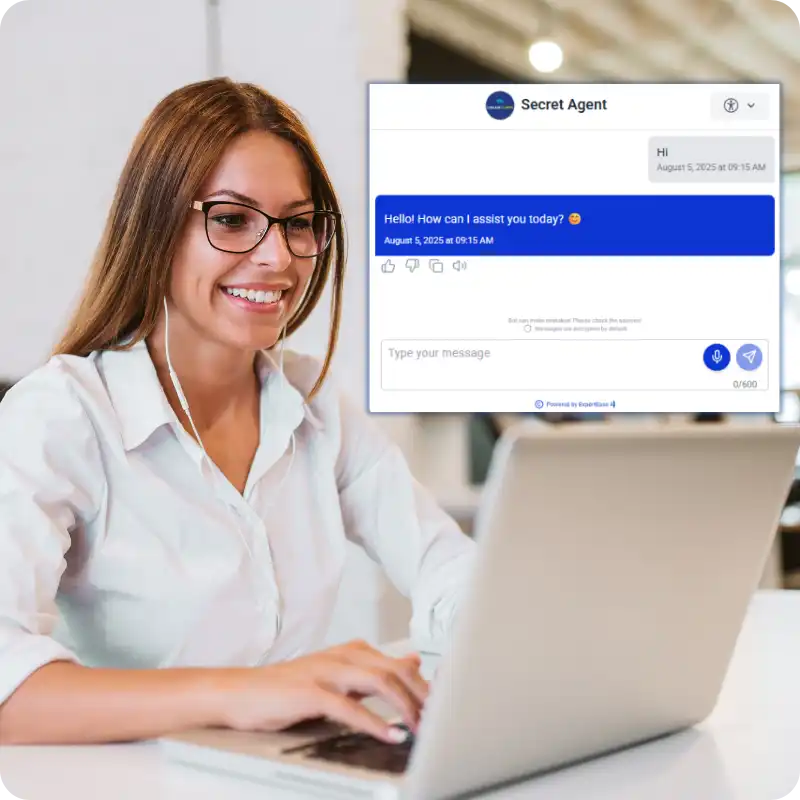
Sandwai Voice Integration That Actually Works
Live Record Access During Calls
When a participant calls, your ExpertEase AI voice agent queries Sandwai in real time — participant name, plan type, coordinator, care schedule, funding status. The AI answers based on live Sandwai data — not a static script.
Real-Time Record Updates
Every outcome from a voice interaction updates Sandwai immediately during the call. Intake details captured. Bookings confirmed. Rostering changes logged. Care notes added. Sandwai reflects the conversation before the call ends.
Workflow Triggers from Voice
Voice interactions trigger Sandwai workflows automatically based on conversation outcomes. A confirmed intake triggers onboarding. A roster change triggers coverage checks. A participant complaint triggers an incident log. All from a phone call. All in Sandwai.
Calls Your Sandwai Voice AI Manages
- Participant intake calls — full intake captured and Sandwai record created during the call
- Plan management queries — funding balances, category breakdowns answered from live Sandwai data
- Support worker roster calls — shift changes processed and Sandwai rostering updated in real time
- Family enquiry calls — care schedules, visit bookings, service questions answered from Sandwai records
- Booking and scheduling calls — appointments confirmed and logged to Sandwai calendar during call
- After-hours calls — routine matters handled, urgent matters escalated with Sandwai context prepared
- NDIS referral calls — intake captured and Sandwai record created before coordinator involvement
Getting started on your phone line is simple. You have three options:
- Get a new Australian number through ExpertEase AI — all states and mobile numbers available
- Transfer your existing business number — keep the number your clients already know
- Activate call forwarding from your current number to your ExpertEase AI line — live in minutes, zero downtime
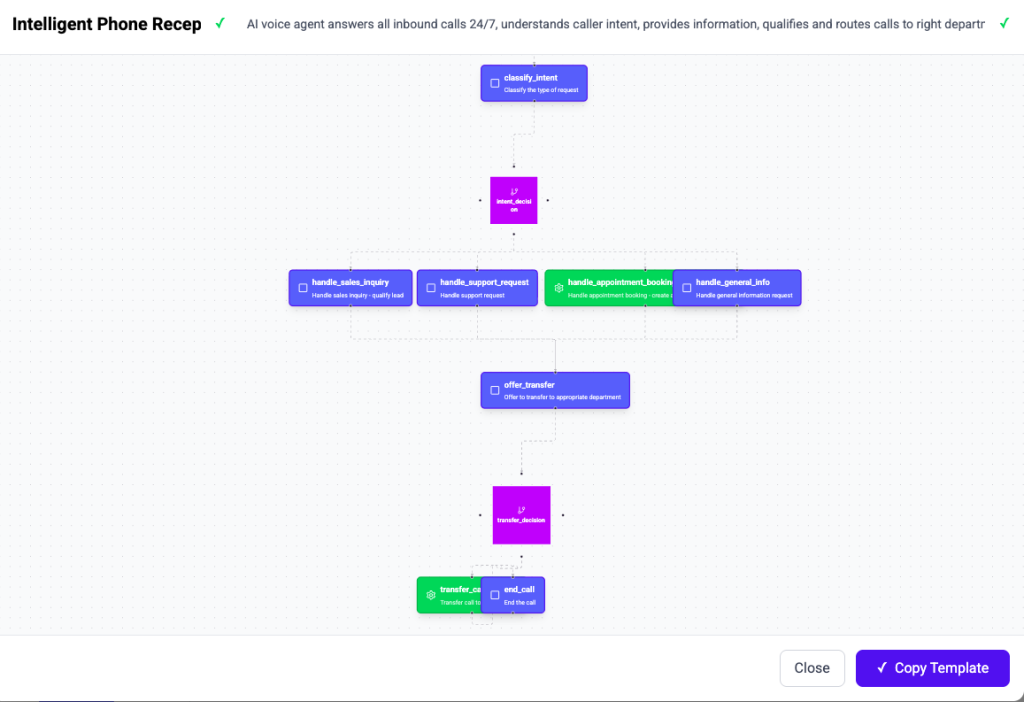
How Sandwai Voice AI Integration Works
Step 1 — Describe Your Voice Agent
Using Speak-to-Deploy, describe your Sandwai voice agent: “Answer NDIS intake calls, read participant records from Sandwai, route by plan type, create intake record, send SMS.” Done.
Step 2 — Connect Your Phone Line & Sandwai
Connect your phone number — new Australian number, number transfer, or call forwarding — and authorise the Sandwai connection. Both connected in minutes.
Step 3 — Configure Sandwai Access
Describe the Sandwai data your voice agent needs to read and write. ExpertEase AI configures the live bidirectional connection automatically — no API work required.
Step 4 — Go Live
Your Sandwai voice AI integration is live. The next call your number receives is answered by an AI that has full Sandwai access — and updates Sandwai before the call ends.
Sandwai Voice AI Use Cases
NDIS Intake Calls
Inbound NDIS participant intake calls — AI captures details and creates Sandwai record in real time. Coordinator receives a complete record, not a voicemail.
Home Care HCP Calls
HCP clients calling about packages, budgets, and services — AI accesses Sandwai package records and answers from live data.
Rostering Calls
Support workers calling about shifts — AI checks Sandwai rostering, processes changes, updates records and confirms during the call.
Family Welfare Calls
Family members calling about a resident or client — AI accesses Sandwai care record and responds with accurate, current information.
After-Hours Coverage
24/7 phone coverage with full Sandwai access — every after-hours call handled with live data, nothing lost by morning.
Aged Care Assessment Booking
Assessment and review bookings confirmed via voice — AI books directly into Sandwai calendar and sends SMS confirmation.
IRAP-Aligned Sandwai Voice Integration
All voice interactions and the Sandwai data accessed during them are processed and stored on Microsoft Azure Australia East. ExpertEase AI is IRAP-aligned, Privacy Act 1988 compliant, and meets the data governance requirements of the NDIS Quality and Safeguards Commission and Aged Care Quality and Safety Commission.
Why Sandwai Providers Choose ExpertEase Voice AI
Truly Live Integration
Not a post-call sync. Not a batch update. ExpertEase AI reads from and writes to Sandwai in real time during every call — before the caller disconnects.
Built for Sandwai Workflows
Voice interactions trigger Sandwai workflows automatically. Intake, rostering, claims, compliance — all triggered from voice calls, all in Sandwai.
Speak-to-Deploy
Describe your Sandwai voice agent in plain English. Live in 60 seconds. No developers, no IT project.
Australian Phone Numbers
New Australian numbers, number transfers, and call forwarding all available. All states and mobile numbers. Your participants keep calling the same number.
Sandwai Voice AI Integration — Your Questions Answered
: Does the AI really access Sandwai records during a live call?
Yes. ExpertEase AI voice agents query Sandwai in real time during every call. When a participant calls, the AI reads their record before answering the first question. The entire call is informed by live Sandwai data — not a cached snapshot or a pre-loaded script.
What gets written back to Sandwai after the call?
Every outcome from the call is written to Sandwai before the call ends. This includes: intake details captured, booking changes made, care notes logged, rostering updates processed, workflow triggers fired, and call summary recorded. Your Sandwai record reflects the call in real time.
Do we need a developer to set up the integration?
No. Sandwai voice AI integration is configured using Speak-to-Deploy. Describe the Sandwai access your voice agent needs, authorise the connection, and the integration is live. No API work, no developer required.
Can we use our existing phone number?
Yes. You can transfer your existing phone number to ExpertEase AI, activate call forwarding from your current number, or get a new Australian number. All states and mobile numbers available. Your participants keep calling the number they already have.
Is voice data processed in Australia?
Yes. Every voice call, transcript, and Sandwai interaction is processed and stored on Microsoft Azure Australia East. IRAP-aligned, Privacy Act 1988 compliant, fully onshore.
Deploy a Voice AI Agent That Lives Inside Sandwai
ExpertEase AI Sandwai Voice Integration — live Sandwai access during every call, real-time record updates, 24/7 phone coverage. Start free today.