

Sandwai AI Integration — Voice, Chat & Workflow AI for Australia's Leading Home Care CMS
ExpertEase AI connects directly to Sandwai — reading participant records, updating care notes, triggering workflows, and managing rostering in real time during every voice call, chat conversation, and automated workflow. The most capable AI integration available for Sandwai users. 100% Australian data residency. Live in minutes.
- 100% Australian Data Residency
- Deploy in 60 Seconds
- 24/7 Voice Coverage
- Sandwai & HCP-Ready
What Is ExpertEase AI's Sandwai Integration?
Sandwai is Australia’s leading home care and NDIS CMS — the system that aged care, home care, disability, and NDIS providers run their operations on. ExpertEase AI’s Sandwai integration is a live, bidirectional connection that lets AI agents access and update Sandwai records in real time during every interaction.
This is not a data sync that runs overnight. It is not a one-way push from AI to Sandwai. When a participant calls your AI voice agent, the agent reads their Sandwai record during the call — and writes the outcome back to Sandwai before the call ends. When a family messages via WhatsApp, the AI accesses the client’s Sandwai care record and logs the interaction automatically.
For Sandwai users, this transforms what AI can do — from a front-end conversation tool to a genuine operational system that lives inside your Sandwai environment.
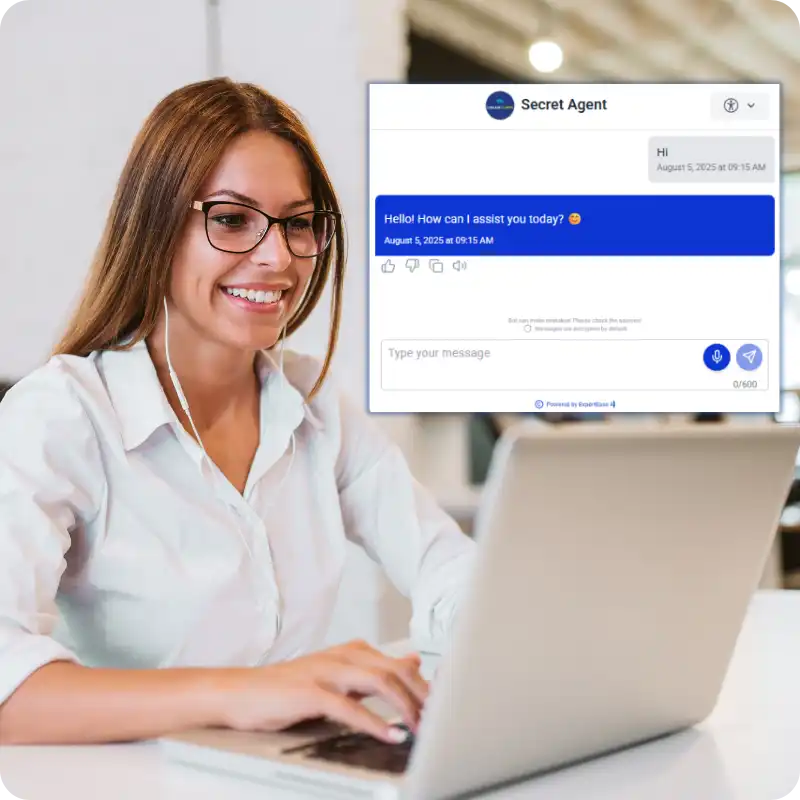
Sandwai AI Integration That Actually Works
Real-Time Record Access
During every call and chat, ExpertEase AI reads the participant’s Sandwai record in real time — plan type, care history, coordinator assignment, funding status, preferences. The AI knows exactly who it is talking to and what their situation is before answering the first question.
Live Record Updates
Every action the AI takes updates Sandwai immediately. Intake details captured. Bookings confirmed. Rostering changes logged. Care notes added. No batch sync, no manual entry, no update lag — Sandwai reflects reality as the conversation happens.
Workflow Trigger Integration
Sandwai workflow automation means ExpertEase AI triggers Sandwai workflows based on conversation outcomes. A confirmed intake triggers onboarding. A service delivery confirmation triggers a claims workflow. A missed shift triggers an incident log. All automated, all auditable.
Sandwai Modules ExpertEase AI Integrates With
- Participant records — read and write during live voice and chat interactions
- Care plans — access and reference during participant enquiries and intake
- Rostering — shift records, availability, cover gap management, updated in real time
- Coordinator assignment — intelligent routing based on live Sandwai coordinator data
- Funding and plan management — plan type verification, funding category checks, budget queries
- Workflow triggers — service delivery, intake completion, incidents, reviews — all triggerable by AI
- Audit trail — every AI action logged to Sandwai with timestamps and full context
- Calendar and scheduling — assessment and service appointment booking via Sandwai calendar
Getting started on your phone line is simple. You have three options:
- Get a new Australian number through ExpertEase AI — all states and mobile numbers available
- Transfer your existing business number — keep the number your clients already know
- Activate call forwarding from your current number to your ExpertEase AI line — live in minutes, zero downtime
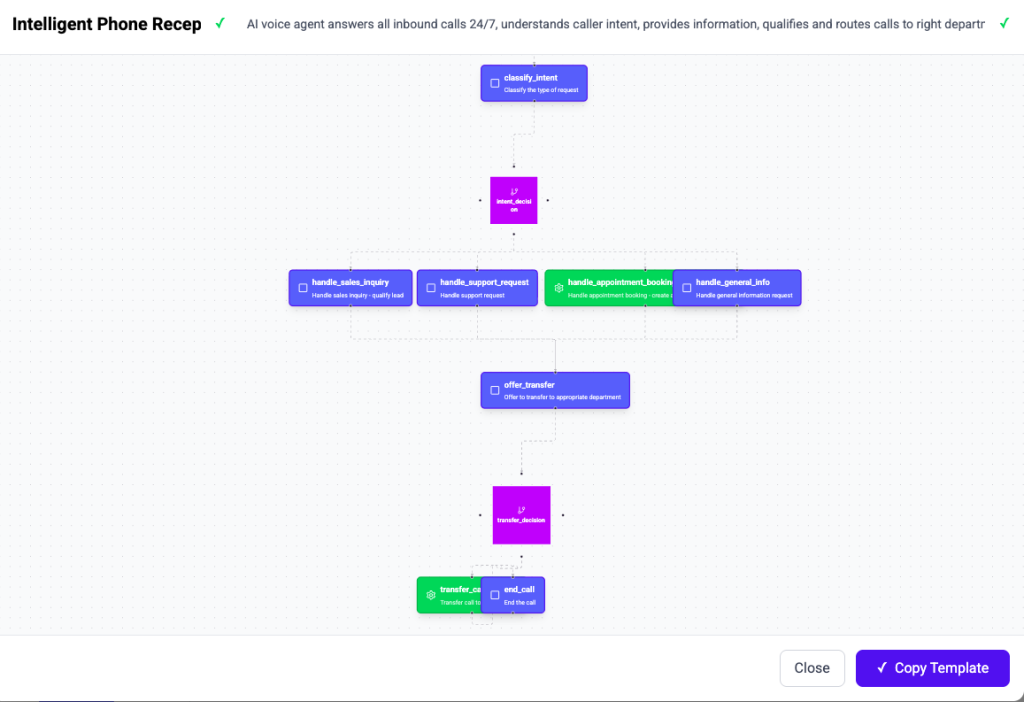
How to Connect ExpertEase AI to Sandwai
Step 1 — Describe Your Use Case
Using Speak-to-Deploy, describe what you need your Sandwai-integrated AI to do. “Answer participant calls, read their Sandwai record, handle intake, update records, send confirmation.” Done.
Step 2 — Authorise the Sandwai Connection
Provide your Sandwai credentials to authorise the integration. ExpertEase AI establishes the live bidirectional connection. No API work required on your end.
Step 3 — Configure Sandwai Actions
Using Speak-to-Deploy, describe the Sandwai actions your AI should take. Which records to read. What to write. Which workflows to trigger. All configured from plain English.
Step 4 — Go Live
Your Sandwai-integrated AI agents go live across phone, WhatsApp, and web. Every interaction reads from and writes to Sandwai in real time — from deployment day one.
What Sandwai Providers Use ExpertEase AI For
NDIS Provider Intake
Participant intake calls handled by AI — Sandwai records created automatically, coordinators notified, confirmations sent.
Aged Care Family Liaison
Family enquiries answered via phone, WhatsApp, and chat — Sandwai care records accessed in real time, interactions logged automatically.
Home Care HCP Management
HCP client calls about packages, budgets, and services — AI accesses Sandwai package records and answers from live data.
Support Worker Rostering
Shift changes, availability updates, cover requests — received via phone and WhatsApp, processed in Sandwai automatically.
Support at Home Transition
SaH client enquiries handled with current Sandwai record context — transition information accurate to each client’s specific situation.
CHSP Referral Processing
Referrals received and Sandwai records created automatically — no coordinator required for routine CHSP intake.
Australian-Hosted Sandwai Integration — Sovereign by Design
The ExpertEase AI Sandwai integration processes all data — participant records, care notes, rostering data, workflow triggers — on Microsoft Azure Australia East. Nothing is routed offshore. The integration meets NDIS Quality and Safeguards Commission data governance requirements, Aged Care Quality and Safety Commission standards, and Privacy Act 1988 Australian Privacy Principles.
Why ExpertEase AI is the Right AI Integration for Sandwai
Built for Sandwai — Not Retrofitted
ExpertEase AI’s Sandwai integration is native — designed specifically for the workflows, data structures, and operational needs of Sandwai users. Not a generic connector.
Bidirectional — Not One-Way
Most AI integrations push data to a CMS. ExpertEase AI reads from and writes to Sandwai in real time during live interactions. Truly bidirectional. Truly operational.
Speak-to-Deploy
Configure your Sandwai integration in plain English. What records to access, what to write, what workflows to trigger — all described, not coded.
Every Channel
One Sandwai integration powering AI agents across phone, WhatsApp, web chat, and SMS simultaneously. One source of truth — your Sandwai environment.
Sandwai AI Integration — Your Questions Answered
Does ExpertEase AI integrate with Sandwai in real time?
Yes. The integration is live and bidirectional. ExpertEase AI reads participant records from Sandwai during live calls and chat conversations — and writes updates back to Sandwai before the interaction ends. No batch sync, no update lag
Which Sandwai modules does ExpertEase AI connect to?
ExpertEase AI integrates with participant records, care plans, rostering, coordinator assignment, funding and plan management, workflow triggers, calendar and scheduling, and audit trail logging. The specific modules used by your agents are configured during setup via Speak-to-Deploy.
Do we need a developer to set up the Sandwai integration?
No. The Sandwai integration is configured using Speak-to-Deploy — describe the Sandwai actions you need, authorise the connection, and setup is complete. No API documentation, no developer work, no technical knowledge required.
Is Sandwai data processed in Australia?
Yes. All participant data accessed and updated via the ExpertEase AI Sandwai integration is processed and stored on Microsoft Azure Australia East. Nothing leaves Australian jurisdiction.
Can the integration trigger Sandwai workflows automatically?
Yes. ExpertEase AI can trigger Sandwai workflows based on conversation outcomes — intake completion, service delivery confirmation, incident reporting, care plan review alerts, and more. All configurable via Speak-to-Deploy
Connect ExpertEase AI to Sandwai — Live in Minutes
The most capable AI integration available for Sandwai users. Voice, chat, and workflow AI that reads and writes to Sandwai in real time. Start free today.